
PL/pgSQL debugger
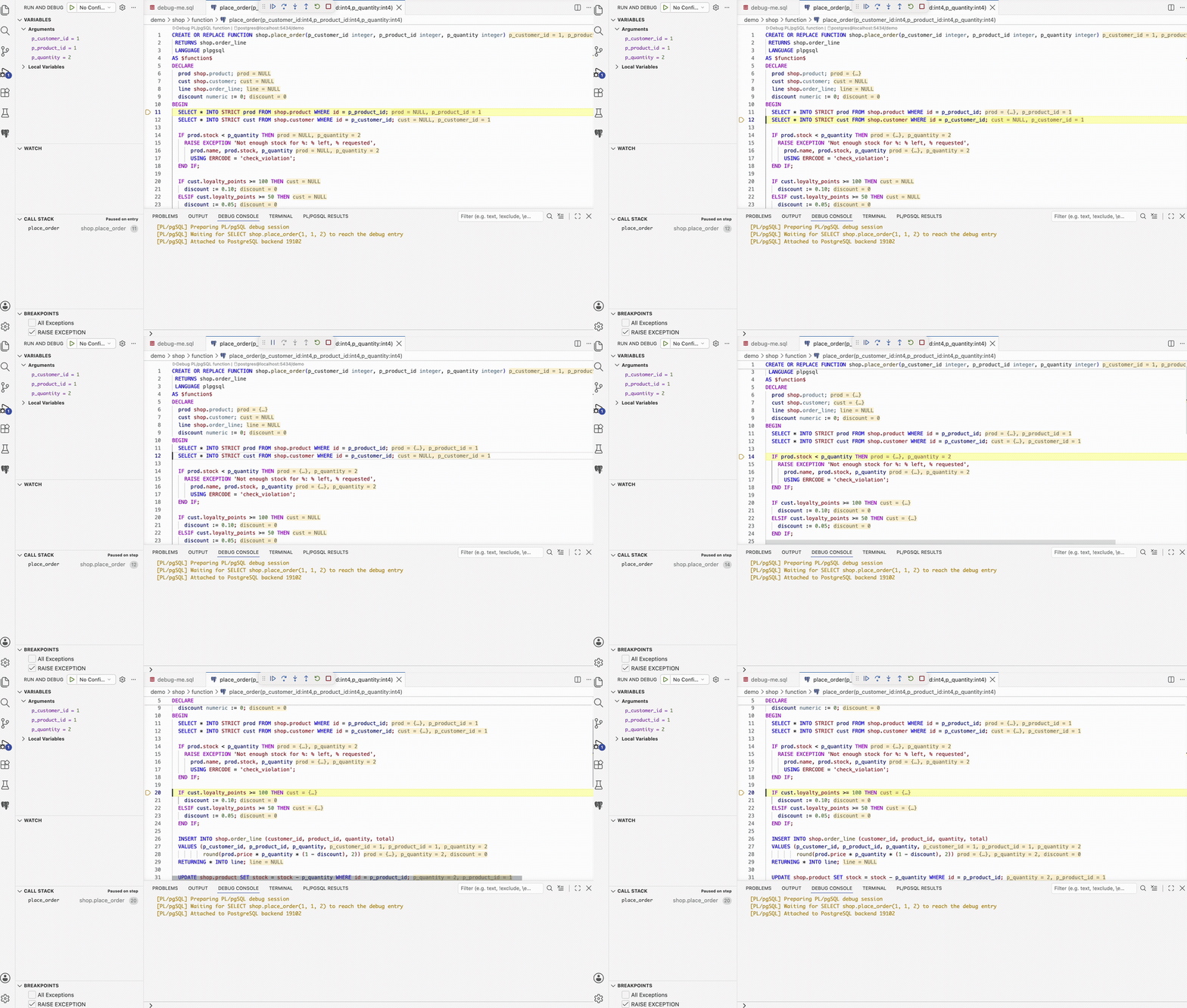
PostgreSQL Workbench provides a PL/pgSQL debugger for VS Code. It translates Debug Adapter Protocol requests into pldbgapi sessions while keeping PostgreSQL source, variables, notices, and results attached to the same launch.
Connection requirements
PostgreSQL must load plugin_debugger through shared_preload_libraries and
expose the pldbgapi extension. Run PostgreSQL Workbench: Check Connection Requirements for
diagnostics.
The debugger works with standard EnterpriseDB, Debian, and RPM pldebugger packages. The ng-galien pldebugger fork adds improved fallback for exotic and anonymous composite values, but it is not required for ordinary stepping and scalar inspection.
Most managed PostgreSQL services do not expose pldebugger. Use a local, Docker, or self-hosted development database when the provider blocks it.
Launch and execution
Debug a routine definition directly, or assign a PostgreSQL connection to a
replayable standalone CALL or selected SELECT. The session opens a listener
connection for pldbgapi and a separate target connection for the SQL call. The
listener intentionally has no PostgreSQL statement_timeout: wait and step
operations block until the target stops.
The debugger stops on entry by default. Use breakpoints, F10/F11, Continue, Variables, Watch, inline values, and the Debug Console.
Debug availability is governed by the analyzed SQL entry point, not merely by
the editor surface or the first SQL keyword. In particular, a direct SELECT
of an indexed PL/pgSQL function is debuggable. See the canonical Run, debug,
and deploy SQL matrix and its exact
parser preconditions.
Value inspection beyond the basic debugger
PostgreSQL scalar values are only the starting point. The adapter uses two-pass SQL-side conversion and PostgreSQL type metadata to expose records, named and anonymous composites, arrays, JSON, and JSONB as expandable DAP variables. Values that cannot be converted safely fall back to their raw representation instead of failing the session.
The ng-galien pldebugger fork improves the server-side fallback for types the upstream extension cannot describe, especially anonymous record fields. Explicit SQL casts remain the most reliable way to preserve exact field types.
Session and source behavior
Each launch owns its PostgreSQL backends and cleans up only its own session.
Canonical code+moniker:// source documents keep breakpoints attached to the
exact overloaded routine. PostgreSQL notices are forwarded to the Debug Console,
while query results remain available in the bounded result panel.
Known limits
stepOutis approximated with Continue.- pldbgapi exposes no native exception event, so an uncaught exception cannot always stop before termination.
- Anonymous record fields may need explicit SQL casts for precise types.
- Only one resume operation can be in flight because pldbgapi step commands block.