
SQL Scratchpads
A Scratchpad is a persistent PostgreSQL SQL workspace in VS Code. Its Association points to a saved Connection, never to a live PostgreSQL session, and never silently switches to another open Connection.
Run and Debug are separate execution intents but use that same Association. A code cell whose SQL resolves to one replayable PL/pgSQL entry point shows its intent (Run or Debug) in its status bar; click it to choose the other one, and the native cell action executes that intent. A cell without such an entry point offers no choice: it always runs. A Debug cell shows the SQL result of the debugged Statement in the cell exactly like Run, and the native Stop action ends the debug session. In Mode MANUAL the intent control is hidden because the debugger cannot join the Scratchpad Transaction. See the canonical Run, debug, and deploy SQL contract for the SQL shapes that can start the PL/pgSQL debugger.
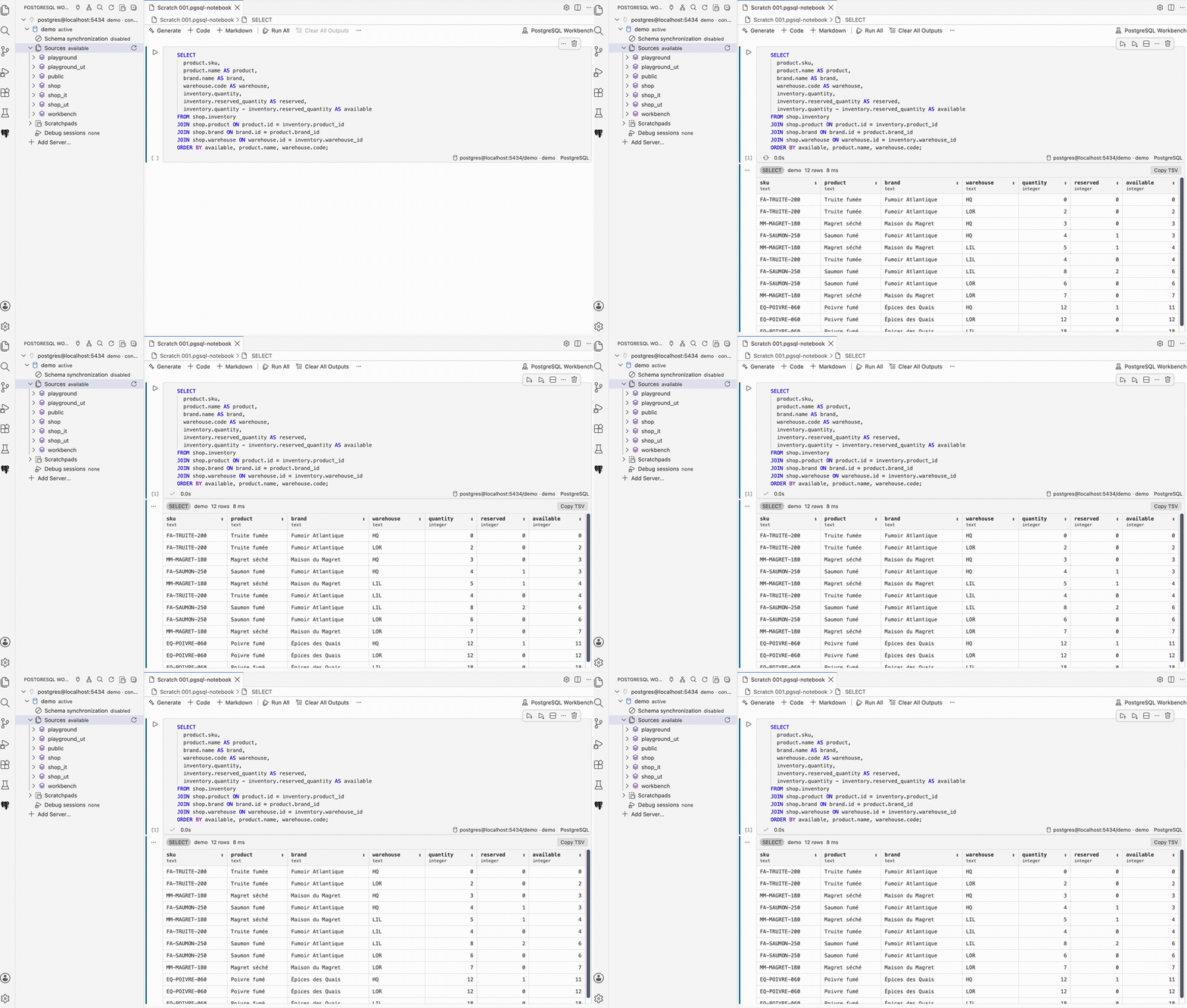
Create and associate
The PostgreSQL Workbench sidebar keeps the database tree above a separate, resizable Scratchpads view. Create a Scratchpad with the New SQL Scratchpad action in that view header. The initial Association depends on the saved Connections:
- with no saved Connection, the Scratchpad is created without an Association;
- with one saved Connection, the Association is automatic;
- with several saved Connections, a selector includes No connection;
- cancelling that selector still creates the Scratchpad without an Association.
Use the Filter SQL Scratchpads action in the view header to narrow the tree by Scratchpad name or Association. Submit an empty filter to restore the full list; Refresh SQL Scratchpads preserves the active filter.
The Scratchpad header, cells, inlays, and results use its persistent Association. Completion and query composition follow that same Association. Formatting uses PostgreSQL syntax without consulting a database context; see SQL authoring. Drag-and-drop composition also follows that Association exclusively. The cell does not show the standalone-editor connection CodeLens because the Association in the cell footer is the single connection control. See the exhaustive drag-and-drop behavior. Connect Scratchpad Association explicitly opens the associated Connection; ordinary execution never connects or switches another Connection. If the Connection disappears, editing remains available while execution offers Reconnect or Change Association.
Mode and Transaction
Every Scratchpad persists one Mode:
- Mode AUTO runs each execution on a dedicated, short-lived PostgreSQL session;
- Mode MANUAL opens one Transaction on the first executed Statement and keeps that Transaction attached to the Scratchpad.
Closing the editor does not resolve a Transaction. The Scratchpads tree keeps its status and ordered Statements visible, with explicit Commit and Rollback actions. A failed Transaction can only be rolled back. Changing the Association or Mode, deleting or renaming the Scratchpad, and disconnecting its Connection require the active Transaction to be resolved or the operation to be cancelled.
On extension deactivation or VS Code shutdown, PostgreSQL Workbench makes a
best-effort rollback of every active Transaction and closes its dedicated session.
Shutdown never commits implicitly. In Mode MANUAL, transaction-control Statements
such as BEGIN, COMMIT, ROLLBACK, SAVEPOINT, and SET TRANSACTION are rejected
because Transaction control belongs to the Scratchpad.
Statement timeout
Every Run cell displays its effective PostgreSQL Statement timeout next to the
Scratchpad Association (a Debug cell hides it: the debugger does not apply a
Statement timeout). The global
postgresql-workbench.sql.statementTimeoutMs setting defaults to 60 seconds.
Click the timeout indicator to persist one override for the whole Scratchpad or
to return to the global setting; all cells in that Scratchpad use the same value.
When PostgreSQL cancels a Statement with error 57014 because that duration was
reached, the error output offers Increase Scratchpad timeout…. This opens the
same selector without creating a hidden per-cell or per-Connection setting. Mode
AUTO closes its short-lived session after the cancellation. In Mode MANUAL, the
PostgreSQL Transaction has failed and must be rolled back.
While a cell is running, use VS Code's native Stop action to cancel it immediately.
PostgreSQL Workbench sends pg_cancel_backend to the bound PostgreSQL session and
reports Execution cancelled. Cancelling Run All also prevents the remaining
cells from starting. Mode AUTO then closes its dedicated session. In Mode MANUAL,
the Transaction remains visible as failed and requires Rollback.
Result navigation
Read-only queries use one shared LIMIT/OFFSET contract. The first page and
each Next action independently execute the wrapped query for
postgresql-workbench.results.pageSize rows (200 by default), then release the
database connection. No PostgreSQL cursor or Transaction remains active between
pages. Previous reads an already loaded page from memory. Load all executes the
remaining offsets explicitly.
Statements that cannot be paged safely, including data-changing statements
with RETURNING, use the separate nonPagedMaxRows limit.
Successful INSERT, UPDATE, and DELETE Statements without RETURNING show
a static command report with the operation and its affected-row count. The
report reuses the result grid for selection, clipboard copy, and local sorting,
but does not offer value inspection, pagination, or file export. A data-changing
Statement with RETURNING remains a regular row result.
The limits protect the Workbench UI, not PostgreSQL itself. An intentionally huge Load all can still consume substantial memory.
Result values and export
Sort columns in the result header. Scalar values remain lightweight text; JSON,
binary, and long values open an inspector. The grid shortens long values only for
display; the result retains up to postgresql-workbench.results.maxCellBytes
per cell (256 KiB by default) for inspection and export. A cell that reaches this
hard limit says so and points back to the setting. PostgreSQL NULL remains
distinct from an empty string. CSV and TSV exports neutralize spreadsheet formulas.
Selection and Loaded rows export retained values without running SQL again. Entire query executes the statement again and streams its new result. Its row order and values may differ, and procedures or statements with side effects run those effects again; the export panel repeats this warning before export.
The relevant page size, cell, and non-paged limits are listed in the settings reference.